
Log in to the Portfolio Manager account used to manage the property you wish to share at www.energystar.gov/portfoliomanager.
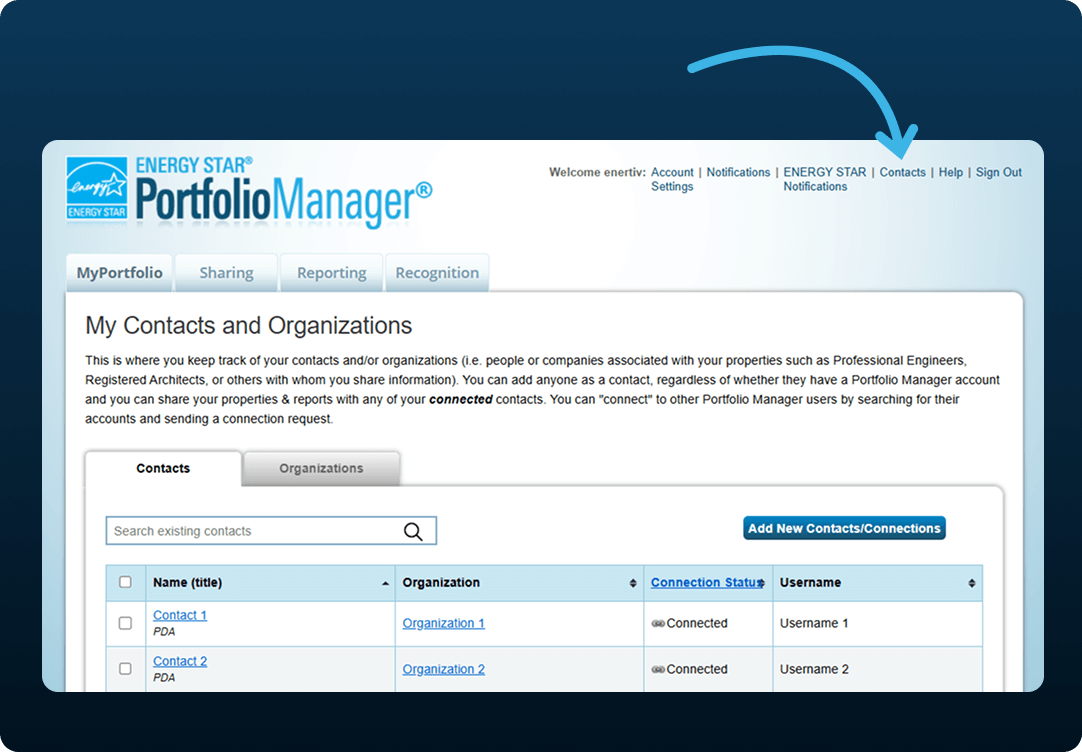
After logging in, click Contacts in the upper-right corner of your browser. This will open the My Contacts page.
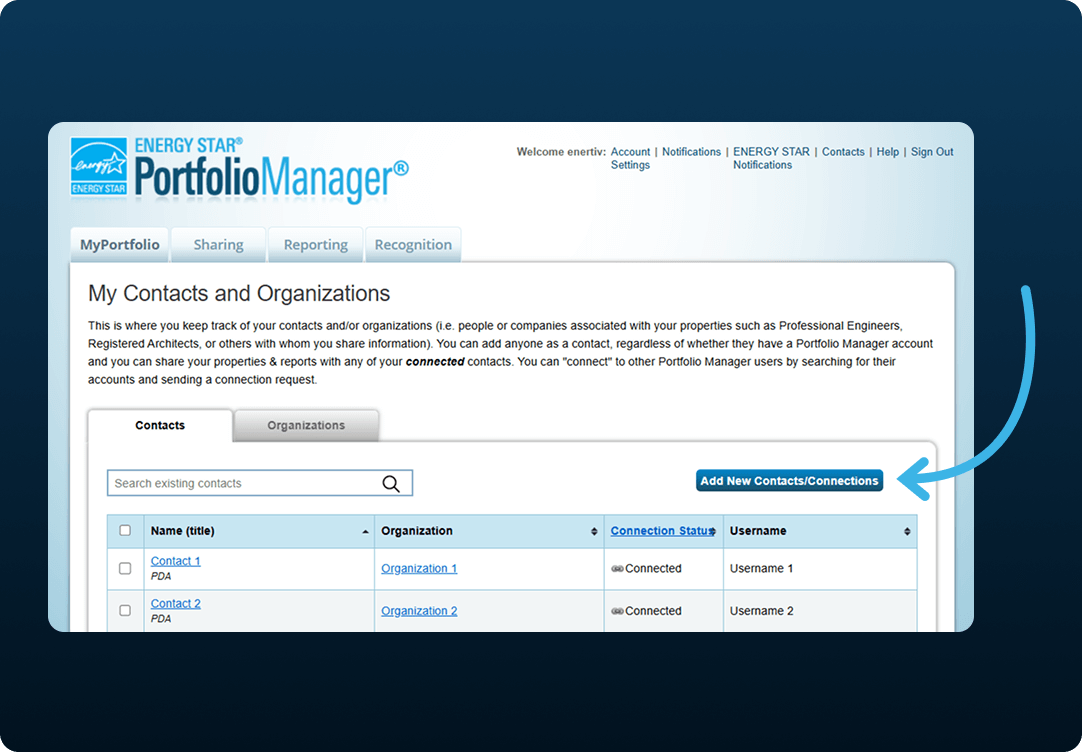
On the My Contacts page, click the blue Add Contact button.
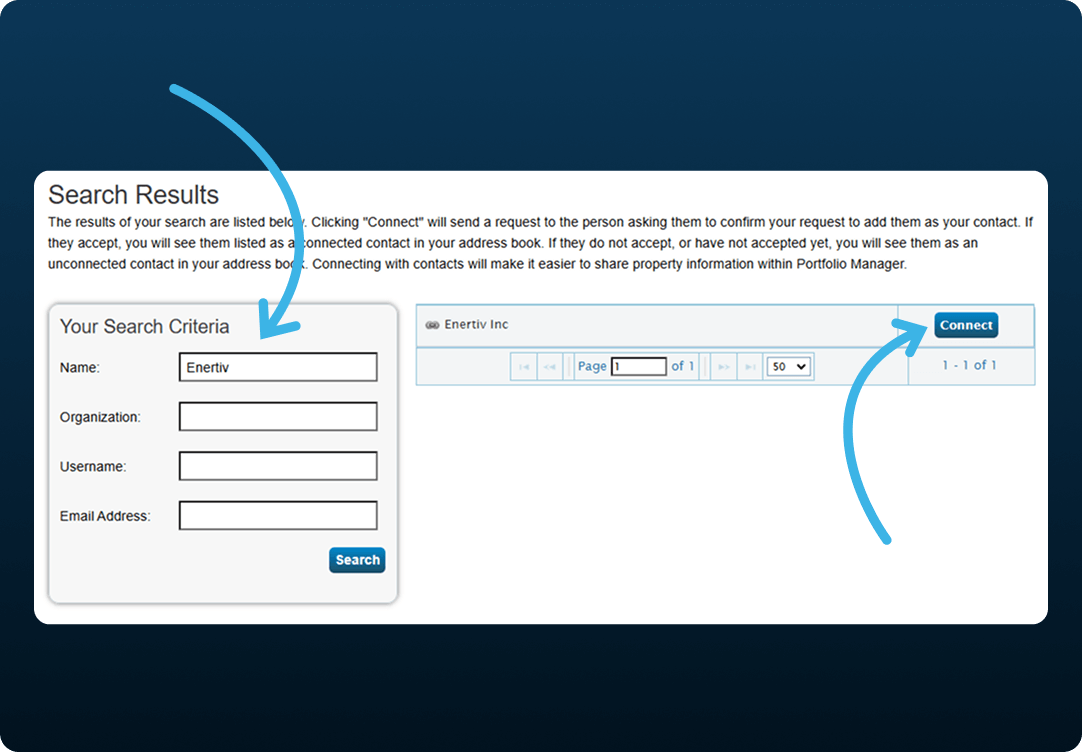
Search for the contact name Enertiv.
In the search results, find Enertiv Inc. and click the blue Connect button to the right.
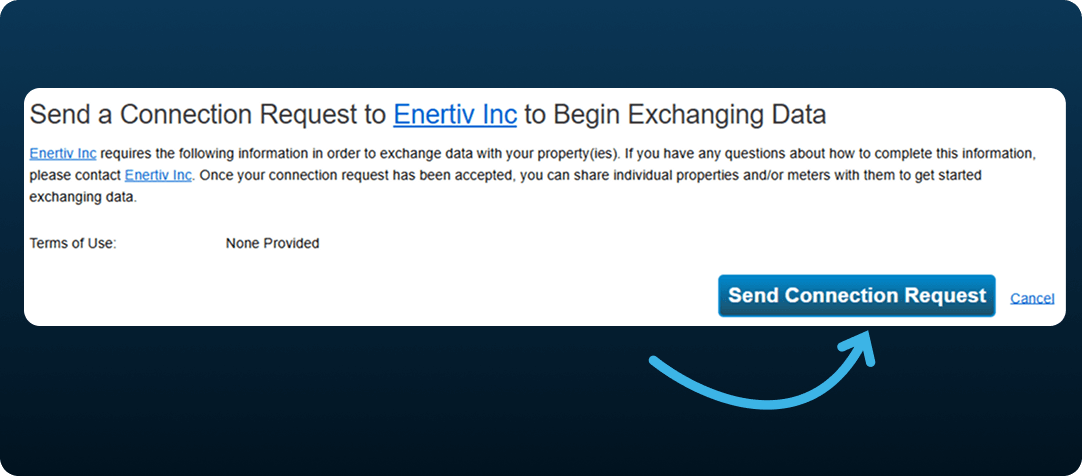
On the next page, click Send Connection Request.
Share access to your building (or portfolio) with us by following the steps below.
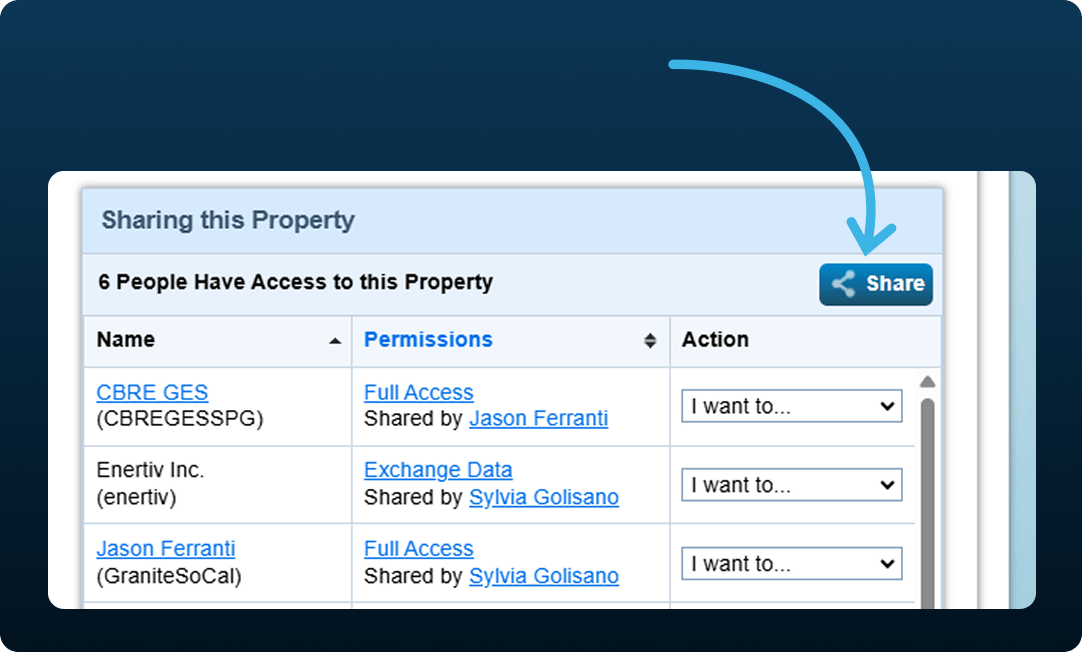
At the bottom of the property page, under the Sharing this Property tab, click Share.
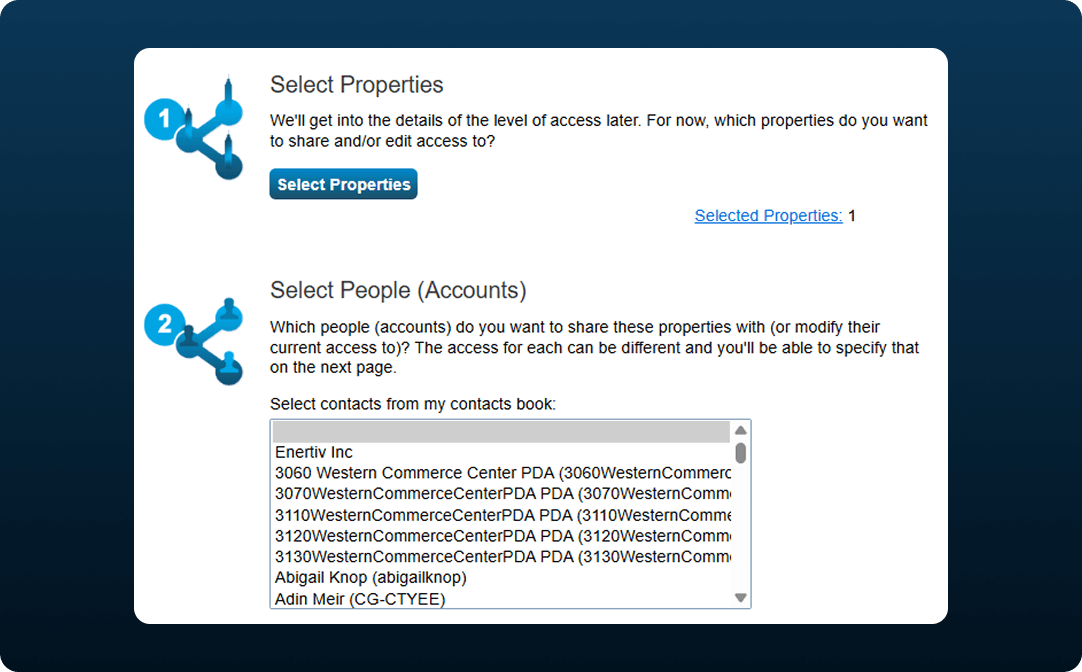
Select additional properties if needed and choose the Enertiv contact you added earlier.
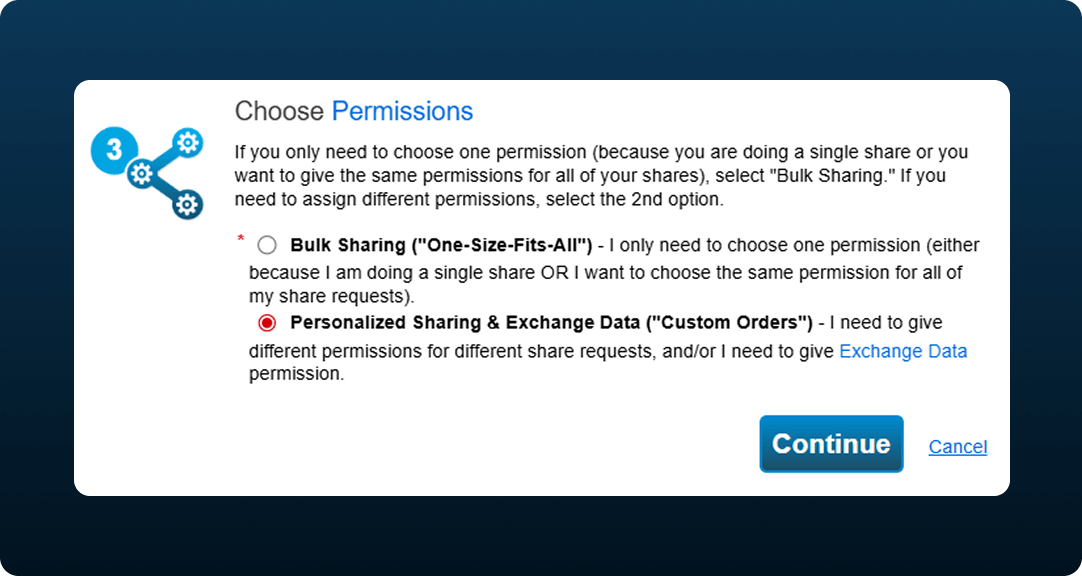
Select Personalized Sharing & Exchange Data and click Continue.
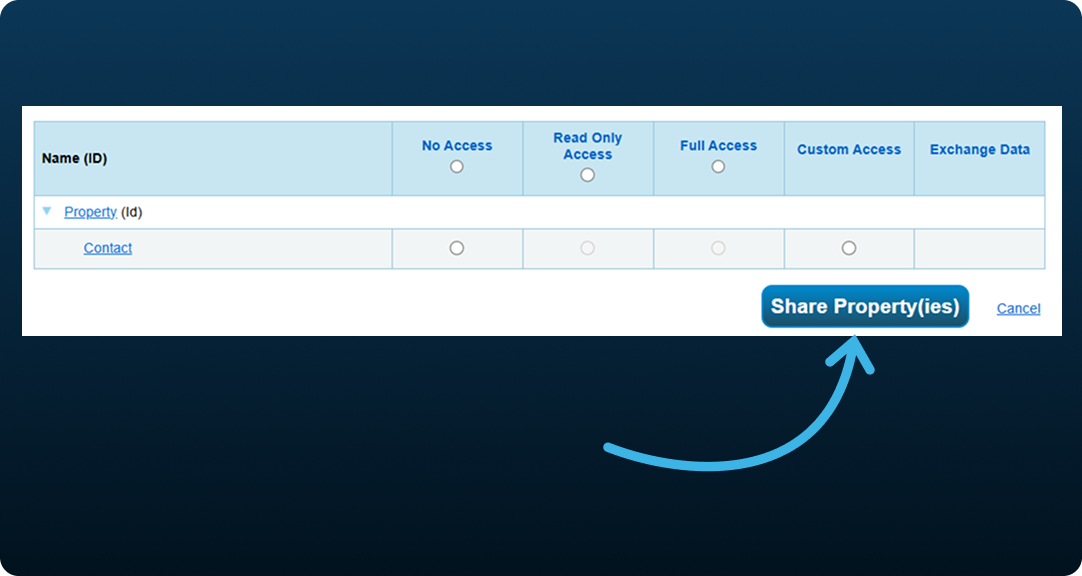
Choose the desired access level:
Click Share Properties to complete the process.